Getting started
Get Public API token
Info
If you do not have direct access to the sandbox interface, it is better to request access through your supervisor.
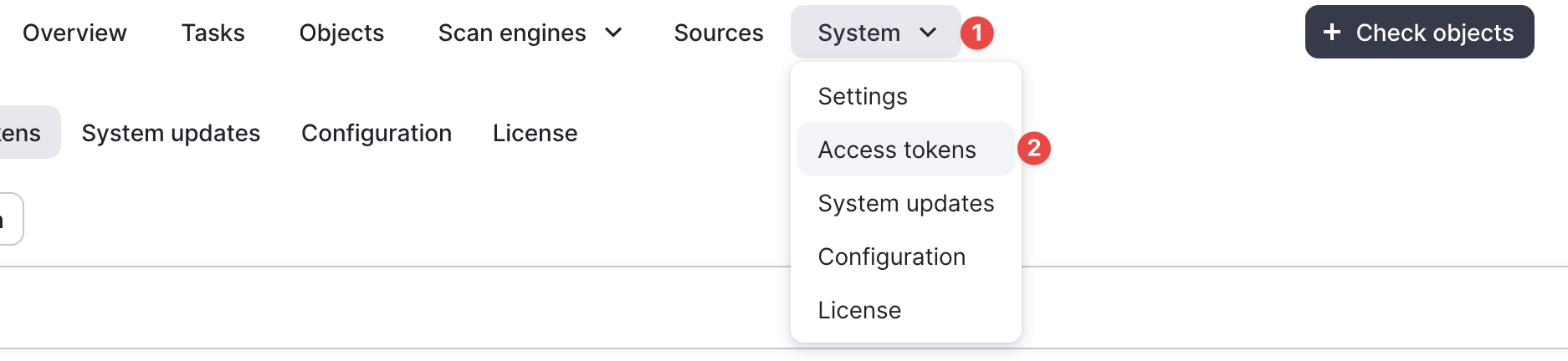
- Open the Access Tokens tab in the interface.
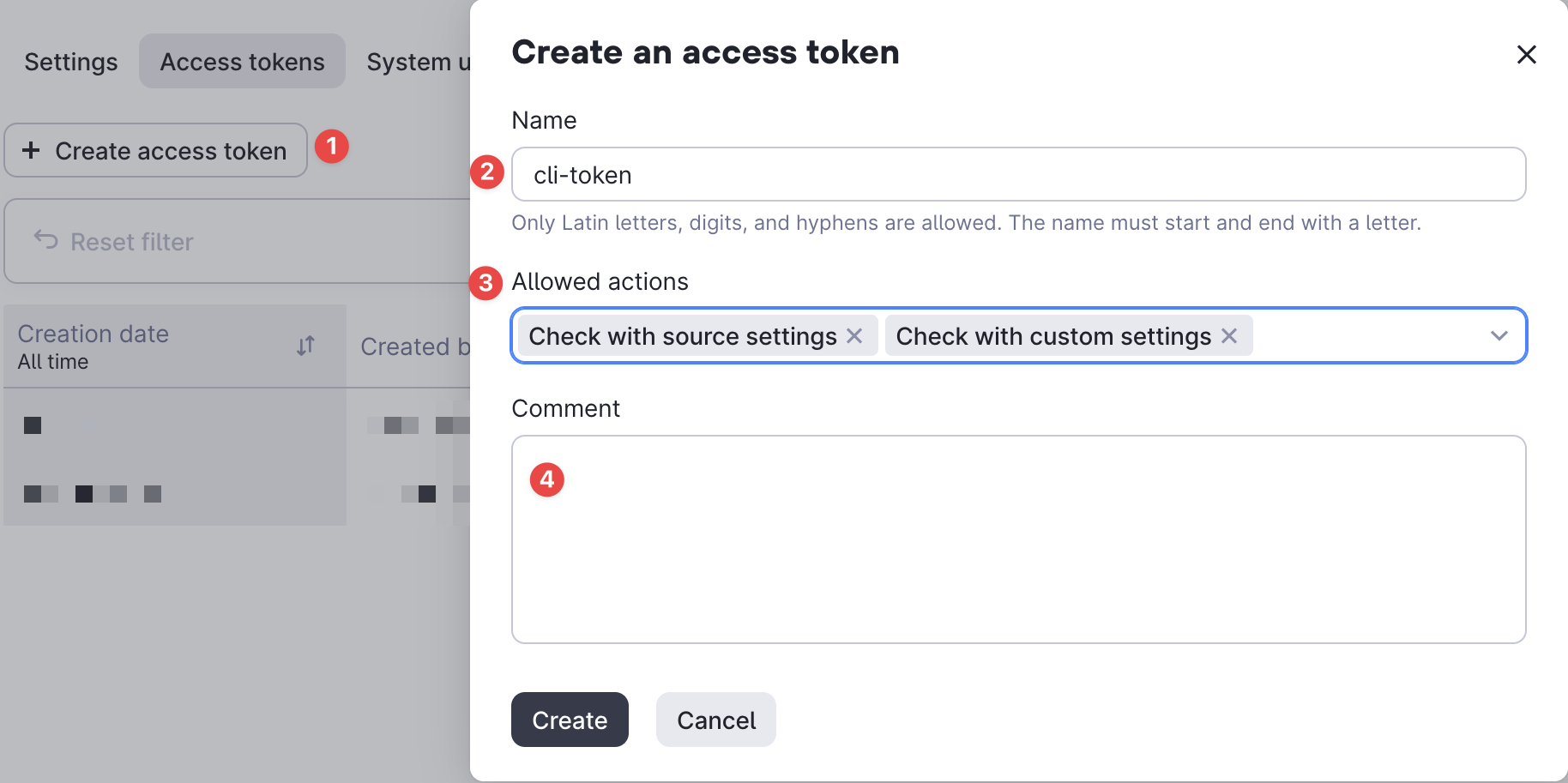
- Click on
Create access tokenand fill in the parameters using the example from the screenshot.
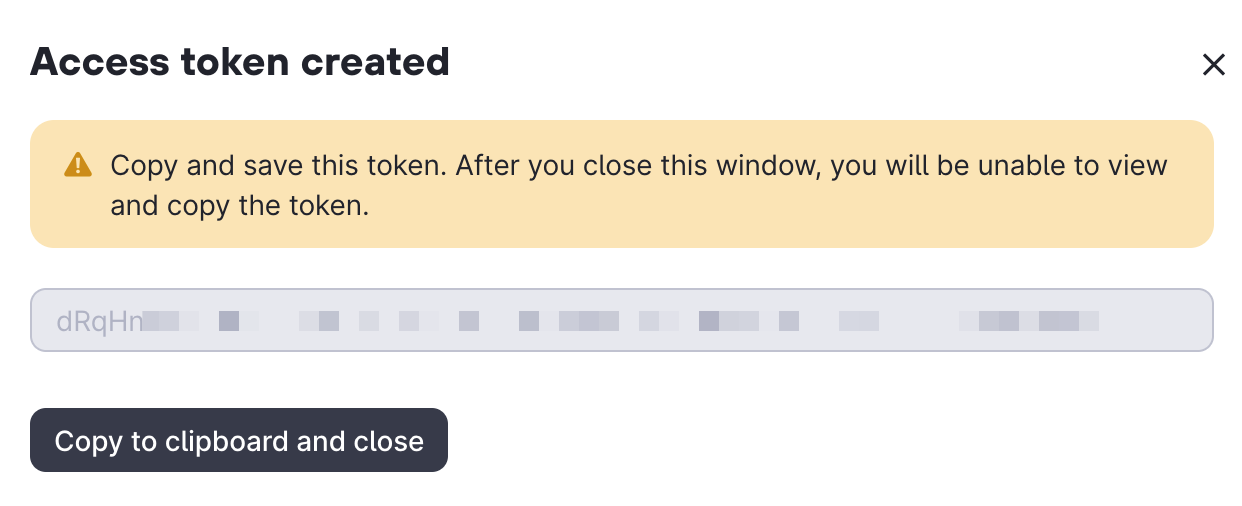
- Now you can copy this token and save it to a config file.
Create config file
The details are described in Configuration
Help
sandbox-cli --help
Usage: sandbox-cli COMMAND
Work with sandbox like a pro
╭─ Commands ───────────────────────────────────────────────────────────────────╮
│ browser Open sandbox link in the default browser. │
│ completion Generate or install shell completion. │
│ conv (unpack) Convert sandbox logs into an analysis-friendly format. │
│ download Download any artifact from the sandbox. │
│ email Upload an email and get its headers. │
│ images Get available images in the sandbox. │
│ report Generate short report from sandbox scans. │
│ rules Working with raw sandbox rules. │
│ scanner Scan with the sandbox. │
│ --help (-h) Display this message and exit. │
│ --version Display application version. │
╰──────────────────────────────────────────────────────────────────────────────╯
Usage: sandbox-cli COMMAND
Work with sandbox like a pro
╭─ Commands ───────────────────────────────────────────────────────────────────╮
│ browser Open sandbox link in the default browser. │
│ completion Generate or install shell completion. │
│ conv (unpack) Convert sandbox logs into an analysis-friendly format. │
│ download Download any artifact from the sandbox. │
│ email Upload an email and get its headers. │
│ images Get available images in the sandbox. │
│ report Generate short report from sandbox scans. │
│ rules Working with raw sandbox rules. │
│ scanner Scan with the sandbox. │
│ --help (-h) Display this message and exit. │
│ --version Display application version. │
╰──────────────────────────────────────────────────────────────────────────────╯
Tip
It looks much better in the terminal 